Share with Fare : Your Trusted Platform for Sharing & Renting Cars, Bikes & Heavy Equipment in Nepal
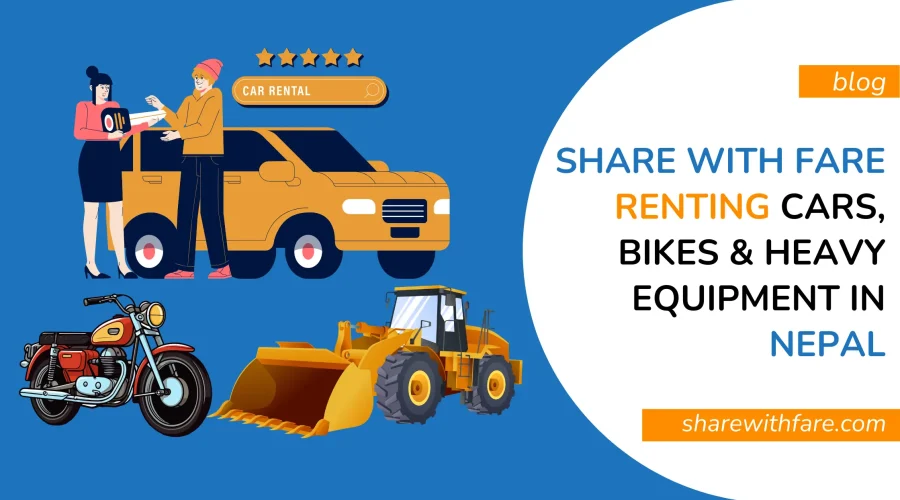
In a developing country like Nepal, the demand for affordable, easy and secure rental services is growing gradually. Whether you need cars in rent for some days to travel outside Kathmandu valley or you need a bike in rent for a city ride in Pokhara or You want JCB for some hours in rent for your construction projects, Share with Fare has created online platform for both owners and renters.
From car rentals in Kathmandu to trekking items rentals in Pokhara and heavy equipment rentals throughout Nepal, Share with Fare is revolutionizing the way we access and share valuable resources. Here’s everything you need to know about how it works and why it’s quickly becoming the go-to rental solution in Nepal.
What is Share with Fare?
Share with Fare is a commission-based online sharing or rental platform operating in Nepal. It allows individuals and businesses to list and rent out their items like cars, bikes, buses, trekking kits, heavy equipment, and more — directly to verified users.
It’s simple:
Have an item to rent? List it and earn.
Need an item in rent? Book it and use it.
From a car to an excavator, you can find or rent out almost anything.
Who Can Use Share with Fare?
There are two main user groups on the platform:
Owners (Item Providers):
Anyone with an item they want to rent out — this could be a single car owner, an equipment rental company, or a gear shop in Pokhara.
Renters/Guests:
Anyone needing a rental. It could be a visitor in Kathmandu who needs a car for a day or a contractor needing a loader for a few days or a backpacker wanting trekking items for a week.
How to List an Item for Rent in Nepal
If you have an item — whether it’s a bike, car, bulldozer, or bus — here’s how to start renting it out:
- Sign up/Login to your account on sharewithfare.com
- Go to the “Add Listing” page
- Fill out all necessary fields:
Title, Description
Category (vehicle, gear, equipment, etc.)
Location
Min/Max price
Upload high-quality photos
Set availability via calendar
Define your pricing — weekday vs weekend (if different)
Enable “Instant Booking” (optional) - Submit and wait for admin approval
All listings are manually reviewed to ensure they’re real, complete, and trustworthy. Owners are notified via SMS and email once approved.
How to Book an Item on Share with Fare
Renting an item is just as easy:
- Visit Listings Page and Browse listings or search using filters:
Category (e.g., “Heavy Equipment Rental Nepal”)
Price, ratings, location, etc. - Pick the item → select rental dates
- Submit a booking request
(Note: You must be logged in and verified — upload your Citizenship of Nepal or Driver’s License) - Wait for owner approval
You’ll get payment instructions via email/SMS - Make advance payment using:
eSewa, Khalti, or Direct Bank Transfer - Share payment receipt via email or WhatsApp
- Once verified, a QR Code is generated for item pickup
- You can now contact the owner directly to coordinate pickup time
- Note: Booking is only confirmed after payment + receipt submission.
- Download your QR Code from “My Bookings” inside your dashboard.
Payment & Commission Structure
All renter payments are made in advance. Here’s what you need to know:
- Commission: Certain percent commission for completed bookings (It is deducted from Owners Payments)
- Owners receive payment after booking, via their preferred payment method
- Renters receive automated invoices via email
- Owners get booking summaries in their dashboards
Security, Verification & Trust
Share with Fare puts safety first:
- Identity Verification:
All renters must upload their Nepali citizenship or driver’s license.
2. Security Deposit & Rules:
The platform does not collect deposits or verify IDs on behalf of owners
Owners are responsible for:
Requesting security deposits
Verifying renter identity
Setting custom rules and policies
3. Pickup & Return:
Pickup only allowed after QR code verification
Renters should inspect the item before use
Return items on time, in the same condition
Late returns may lead to extra charges
Cancellation & Refunds
Owners can cancel only in emergency cases and must notify the renter. Frequent cancellations may lead to account suspension.
Renters can cancel based on the owner’s set window. Late cancellations may be non-refundable.
Refunds are processed back to the original payment method.
Reviews & Ratings
After completing a rental, renters are encouraged to leave a review based on:
Item condition
Owner support
Overall experience
Good reviews help owners build trust and boost future bookings!
Notifications & Support
You’ll receive email and SMS alerts for all key activities:
Sign-up confirmations
Listing and booking status
Payment updates
Review requests
Booking cancellations
For help, contact our support team for:
How to rent a car in Kathmandu
How to list heavy equipment
How payments work
How to contact renters or owners
If the issue is complex, you can contact human support via: support@sharewithfare.com
 +977-9765953770 (WhatsApp available)
Visit sharewithfare.com today to:
List your items and start earning
Rent whatever you need — cars, bikes, trekking gears, or heavy equipment